Last Updated Feb 20, 2026
From CustomEvent to Custom Events
Categories: Frontend Development
Tags: #TypeScript , #Events
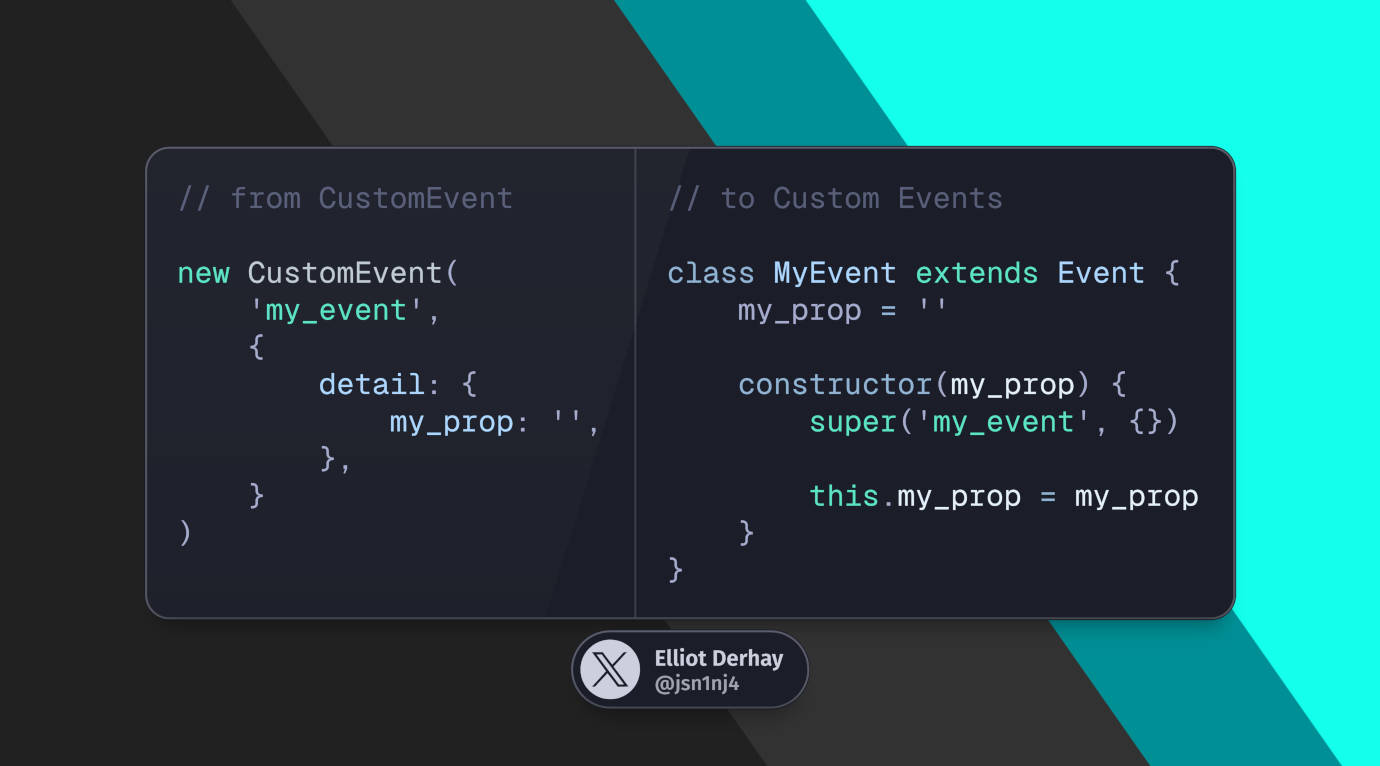
If you try to find examples of sending custom events in JavaScript, either on Google or with AI, you'll get plenty of recommendations to use the CustomEvent class.
It's pretty basic. All you need to do is create and send your custom event like this:
const event = new CustomEvent('event-name', {
	detail: {customField: 'custom-value'}
})

document.dispatchEvent(event)
And then you listen for it somewhere else:
document.addEventListener('event-name', function (event) {
	console.log(event.detail.customField) // get our custom field
})
But if you wanted a custom object that can be its own type with known properties, this feels weird and clunky.
Why do you have to use a dedicated CustomEvent object instead of creating your own? And why do you have to use this dedicated detail field just to pass data?
And if you use TypeScript, it feels even clumsier since the event listener can't infer the shape of detail.
Actual custom events
As it turns out, you don't have to do that. When I was looking into this again, I came across this article by Justin Fagnani titled Stop Using CustomEvent.
He writes about both extending the base Event class and finding other built-in event classes such as the ones in this list.
I do recommend reading his article. But I also suspect it's not just that frontend devs are intentionally making a bad practice of only using CustomEvent, but also that searching for anything with the phrase "custom event" is going to lead you to that exact class. It's just easy to repeat.
So let's break that cycle and talk about creating our own custom events here.
An example: my cookie banner
There are a few things I use custom events for on this website, but this is probably the simplest one.
Like a lot of websites, this one has a cookie banner. It has "Allow" and "Deny" buttons on it that simply trigger an event "user_tracking.toggled" and there's an event handler to record the user's choice.
I was using CustomEvent at first for this. After moving away from CustomEvent, this is what I have now:
export class UserTrackingToggled extends Event {
	static readonly name: string = 'user_tracking.toggled'

	allow: boolean

	time: Date

	constructor(allow: boolean, time: Date) {
		super(UserTrackingToggled.name, {bubbles: true, cancelable: true})

		this.allow = allow
		this.time = time
	}
}
Since I'm using Alpine.js on the frontend, I trigger the handler inside the allowTracker() method in the class below:
Alpine.data('googleAnalytics', () => ({
	displayClass: 'hidden',

	disableTracking(e) {
		this.allowTracker(false)
	},

	enableTracking(e) {
		this.allowTracker(true)
	},

	allowTracker(allow: boolean) {
		if (typeof allow !== 'boolean') allow = false

		let now = new Date()
		now.setTime(now.getTime() + 1000 * 60 * 60 * 24 * 400)

		document.dispatchEvent(new UserTrackingToggled(allow, now))

		document.cookie = 'GA_POPUP_INTERACTION=1;expires=' + now.toUTCString()
		this.hide()
	},

	hide() {
		this.displayClass = 'hidden'
	},

	init() {
		// Popup has been interacted with
		if (document.cookie.indexOf('GA_POPUP_INTERACTION=1') !== -1) return

		// "Do Not Track" enabled
		if (navigator.doNotTrack === '1') return

		this.show()
	},

	show() {
		this.displayClass = 'block'
	},
}))
This is just a TS port of an old JS code block I had embedded in a Blade template. By default, it also assumes no tracking.
Since bootstrapping analytics needs to happen as soon as possible, the actual analytics boostrapping script still needs to be an embedded JS block. So in this 1 instance, I do still have to use the event name string directly.
Here's the relevant code:
function googleAnalyticsTrack({allow, time}) {
	let dnt = !allow ? 'DNT=1' : 'DNT=0'

	if (!!time) dnt += ';expires=' + time.toUTCString()

	document.cookie = dnt
	window['ga-disable-{{ $googleAnalyticsId }}'] = !allow
}

document.addEventListener('user_tracking.toggled', googleAnalyticsTrack)
There are a few other instances of CustomEvent I replaced with custom event objects too. Using the theme switcher and clicking on images that show in a lightbox also trigger custom events. The cookie banner was just the simplest example.
Wrapping up
After originally knowing only about CustomEvent, it's nice to know that there's a real solution that lets you create custom event classes for your own needs.
I'm also hoping that having at least 1 more published piece about real custom events can help break away from assuming you need CustomEvent instead of your own event classes.
6 months ago
JSn1nj4 pushed to master at JSn1nj4/ElliotDerhay.com
6 months ago
JSn1nj4 pushed to develop at JSn1nj4/ElliotDerhay.com
6 months ago
JSn1nj4 pushed to develop at JSn1nj4/ElliotDerhay.com
6 months ago
JSn1nj4 pushed to master at JSn1nj4/ElliotDerhay.com
6 months ago
JSn1nj4 deleted jsn1nj4/jsn-335-refresh-view-live-button-url from JSn1nj4/ElliotDerhay.com